For e-commerce businesses utilizing platforms like Shopify and BigCommerce, effective inventory management is crucial to maintaining customer satisfaction and operational efficiency. As online stores grow, the native inventory tools offered by these platforms often fall short of addressing complex inventory needs across multiple sales channels, warehouses, or when manufacturing is involved.
Fishbowl Inventory presents itself as a solution for businesses that have outgrown basic inventory tracking capabilities. This review examines how well Fishbowl serves Shopify and BigCommerce store owners looking to scale their inventory management processes while maintaining tight integration with their existing e-commerce operations.
Company Info
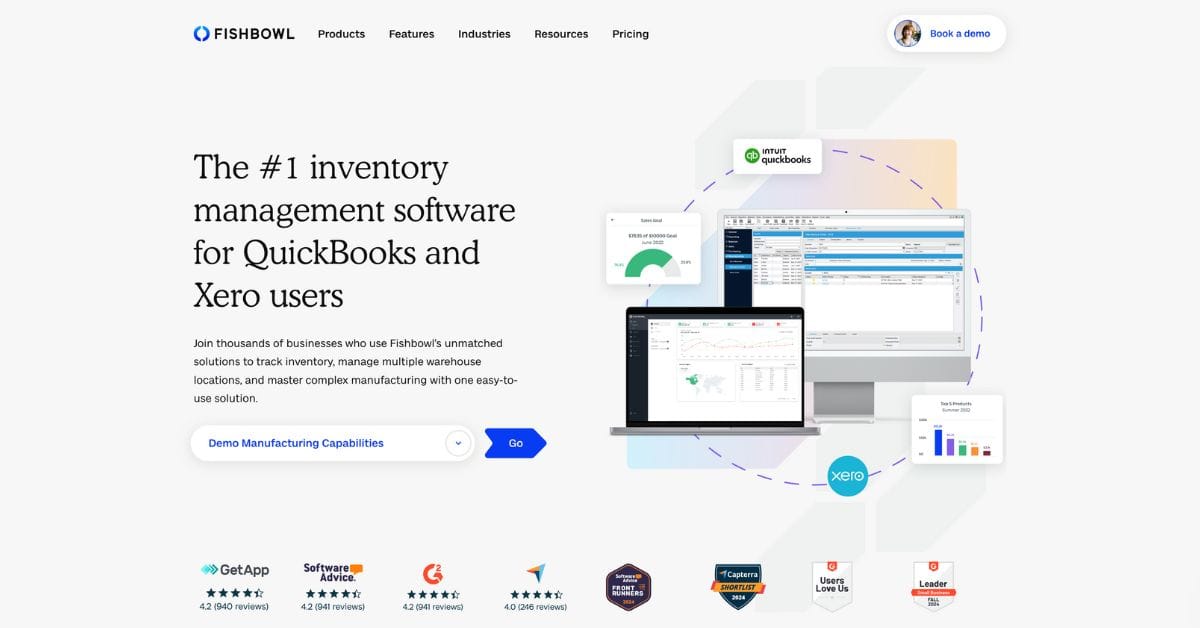
Fishbowl has established itself as a notable player in the inventory management systems space, particularly for small to medium-sized businesses. Founded in 2001, the company has built its reputation around providing robust inventory solutions with a special emphasis on QuickBooks integration. This focus has positioned Fishbowl as the “#1 manufacturing and warehouse management solution for QuickBooks users,” a niche that continues to define much of its market approach.
The company offers two primary products: Fishbowl Warehouse for inventory management and Fishbowl Manufacturing for more production-oriented businesses. This review focuses primarily on Fishbowl Warehouse and its e-commerce capabilities.
Looking for an inventory management system for your store?
We help e-commerce businesses select and implement the perfect inventory solution for their Shopify and BigCommerce stores. Our services include inventory system selection, integration setup, and data migration alongside our platform migration expertise.
Core Features of Fishbowl Inventory
Multi-Channel Synchronization
Fishbowl’s greatest strength for e-commerce businesses is its ability to consolidate orders from multiple sales channels. Through the Fishbowl Commerce plugin, the system imports orders from Shopify, BigCommerce, Amazon, eBay, and other platforms, centralizing them in one interface. This synchronization extends to inventory levels, automatically updating stock across all connected channels when changes occur in Fishbowl.
Warehouse Management
The warehouse management functionality is comprehensive, supporting:
- Multiple warehouse locations with transferring capabilities
- Asset and part tracking systems
- Barcode scanning for improved accuracy and efficiency
- Picking, packing, and shipping workflows
- Cycle counting and inventory auditing tools
For Shopify and BigCommerce stores that have expanded to multiple fulfillment locations, these features offer significant advantages over platform-native tools.
Order Fulfillment
Fishbowl extends beyond simple inventory tracking to manage the entire order fulfillment process:
- Customizable picking routes to optimize warehouse efficiency
- Pack verification to ensure order accuracy
- Integrated shipping processes with major carriers
- Basic point-of-sale capabilities for businesses with physical locations
These features help bridge the gap between online orders and physical fulfillment, an essential consideration for growing e-commerce operations.
Manufacturing and Kitting
While full manufacturing capabilities are available in Fishbowl Manufacturing, Fishbowl Warehouse offers lighter assembly and kitting features that benefit e-commerce stores selling bundled products or simple assemblies:
- Bill of materials creation for product kits
- Work order management for assembly processes
- Component tracking to ensure kit availability
- Disassembly tracking for returns or reconfigurations
These capabilities are particularly valuable for Shopify and BigCommerce stores that need to offer product customization or bundling options.
Automation and Reordering
Fishbowl implements several automation features to reduce manual inventory management:
- Customizable reorder points based on usage patterns
- Automated purchase order generation
- Supplier management and order tracking
- Lead time calculations for improved forecasting
The integration with QuickBooks adds financial automation, pushing purchase orders, sales orders, and inventory adjustments to the accounting system automatically.
Reporting and Analytics
While not its strongest area compared to some competitors, Fishbowl offers standard inventory reporting capabilities:
- Inventory valuation reports
- Sales history analysis
- Forecasting tools
- Custom report builders
The reporting interface follows the same traditional design as the rest of the application, which may feel dated but provides essential inventory insights.
Integration Capabilities
Shopify Integration
Fishbowl connects to Shopify through its Commerce plugin, enabling:
- Automated order importing from Shopify to Fishbowl
- Real-time inventory updates back to Shopify
- Product information synchronization
- Fulfillment status updates to keep customers informed
The integration works reliably but requires proper setup and occasional monitoring to ensure continued synchronization.
BigCommerce Integration
Similarly, the BigCommerce integration offers:
- Order data flow from BigCommerce into Fishbowl
- Inventory level updates across multiple BigCommerce stores
- Product detail synchronization
- Shipment and tracking information updates
The BigCommerce integration maintains similar functionality to the Shopify connection, making Fishbowl a viable option for merchants on either platform.
QuickBooks Integration
The standout integration—and Fishbowl’s primary selling point—is its deep connection with QuickBooks:
- Bi-directional data flow between inventory and accounting
- Automated financial transaction recording
- Inventory valuation updates
- Purchase order and sales order synchronization
This integration is particularly valuable for e-commerce businesses seeking to maintain accurate financial records without duplicate data entry.
Other Notable Integrations
Beyond the primary e-commerce and accounting connections, Fishbowl offers integrations with:
- Amazon, eBay, and other marketplaces
- Shipping solutions like UPS, FedEx, and ShipStation
- CRM systems for customer data management
- Various payment processors
These additional integrations help create a more connected operational ecosystem for online retailers.
User Experience
Interface Design and Usability
Fishbowl’s interface represents one of its most significant drawbacks. The desktop application features a traditional Windows-style UI that feels dated compared to modern cloud-based alternatives. Navigation can be clunky, with multiple clicks required for common tasks and a layout that prioritizes comprehensiveness over intuitive design.
New users often experience a steep learning curve due to the density of features and options. However, once familiar with the system, users can efficiently manage complex inventory operations.
Mobile Capabilities
Mobile access is limited compared to cloud-native solutions. While Fishbowl offers some mobile scanning and inventory check capabilities, the full management experience requires the desktop application, limiting flexibility for on-the-go management that many e-commerce business owners require.
Learning Curve and Complexity
Fishbowl requires significant training for effective use. The system’s power comes with complexity, and new users should expect to invest time in learning the platform. Fishbowl offers training resources and implementation support, which can ease this transition but add to the overall cost of adoption.
Support Options and Quality
Support quality is generally good, particularly for North American customers. Fishbowl offers:
- Implementation assistance packages
- Training programs for new users
- Technical support via phone, email, and knowledge base
- Regular updates and maintenance
International support is less robust, which may be a consideration for global e-commerce operations.
Pros for E-commerce Stores
Deep QuickBooks Integration Benefit – For Shopify and BigCommerce stores already using QuickBooks, Fishbowl provides unmatched integration. This connection eliminates duplicate data entry between inventory and accounting systems, reducing errors and saving time. The financial visibility this creates helps e-commerce businesses make better purchasing and pricing decisions based on accurate cost data.
Comprehensive Feature Set Advantages – Fishbowl offers functionality that extends well beyond native e-commerce platform capabilities. The advanced warehouse management, kitting options, and multi-location inventory tracking provide growing online retailers with tools to scale operations without changing systems as complexity increases.
Licensing Model Benefits – Unlike many inventory solutions that require ongoing subscription payments, Fishbowl offers a lifetime license option. For established e-commerce businesses looking to minimize recurring costs, this one-time purchase (plus annual maintenance fees) can provide better long-term value despite higher initial investment.
Support Quality and Availability – Implementation support and training options help ensure successful adoption. For businesses transitioning from basic inventory tracking to a comprehensive system, this guidance can be invaluable in establishing proper procedures and maximizing system benefits.
Cons for E-commerce Stores
Desktop Application Limitations – As a primarily on-premise solution, Fishbowl requires local servers or computers for hosting. This setup demands IT resources for maintenance, security, and updates that cloud-based alternatives don’t require. For e-commerce businesses accustomed to the convenience of web-based platforms like Shopify and BigCommerce, this can represent a significant shift in operations.
User Interface Challenges – The dated interface requires more training and adaptation than more modern alternatives. New users often struggle with navigation and finding essential functions, creating potential adoption barriers within organizations. For e-commerce businesses accustomed to sleek, intuitive interfaces, this transition can be jarring.
Pricing Structure Considerations – Fishbowl’s lack of transparent pricing creates uncertainty in the purchasing process. Potential customers must contact sales representatives for quotes, and users report occasional surprise costs or fee increases. This opacity makes budget planning difficult and may create future financial uncertainty.
Geographic/Niche Focus Limitations – Fishbowl’s strong North American focus may limit its suitability for global e-commerce operations. Additionally, businesses not using QuickBooks lose one of Fishbowl’s primary advantages, potentially making other solutions more appropriate. The system’s design assumes certain operational practices that may not align with all e-commerce business models.
Comparison with Native Tools
Compared to the built-in inventory management tools in Shopify and BigCommerce, Fishbowl offers significantly more robust capabilities. While platform-native tools handle basic stock tracking and simple order fulfillment, they lack:
- Multi-warehouse management
- Manufacturing/kitting capabilities
- Advanced barcode systems
- Comprehensive reordering automation
- Detailed inventory reporting
Fishbowl makes sense for e-commerce businesses that have:
- Outgrown basic inventory tracking
- Multiple sales channels beyond a single online store
- Complex fulfillment requirements
- Manufacturing or assembly needs
- QuickBooks as their accounting solution
Smaller stores with straightforward inventory needs may find Fishbowl unnecessarily complex and would be better served by native platform tools or simpler inventory add-ons.
Alternatives Overview
When considering Fishbowl for Shopify or BigCommerce inventory management, several alternatives merit consideration:
- Cin7 offers a more modern, cloud-based approach with strong e-commerce integration but at a higher recurring cost.
- Dear Systems provides similar functionality to Fishbowl with a more updated interface and cloud accessibility, though with less robust QuickBooks integration.
- Skubana specializes in e-commerce operations specifically, with stronger marketplace integrations but fewer manufacturing capabilities.
Fishbowl distinguishes itself through its QuickBooks focus, on-premise deployment option, and one-time licensing model.

Conclusion
Fishbowl Inventory presents a viable solution for Shopify and BigCommerce stores that have:
- Outgrown platform-native inventory tools
- Complex inventory operations across multiple channels
- Manufacturing or kitting requirements
- QuickBooks accounting integration needs
- Preference for one-time licensing over subscriptions
The system’s comprehensive feature set and deep QuickBooks integration provide significant advantages for growing e-commerce operations, particularly those with physical warehouse locations and diverse product catalogs.
However, the dated interface, on-premise deployment requirements, and steep learning curve may deter businesses seeking a more modern, cloud-based experience. Additionally, stores without QuickBooks might find better value in alternative solutions more aligned with their existing systems.
For the right user—typically a medium-sized e-commerce business with complex inventory needs and QuickBooks accounting—Fishbowl delivers powerful capabilities that can streamline operations and scale with growing inventory demands. Other businesses should carefully evaluate whether Fishbowl’s strengths align with their specific operational requirements before committing to this robust but specialized inventory system.
Need Help Choosing the Right Inventory System?
Selecting and implementing the right inventory management solution for your Shopify or BigCommerce store is a crucial decision that impacts your entire business operation. The best system depends on your specific business needs, growth plans, and existing technology stack.
We specialize in e-commerce platform consulting, including inventory system selection and integration with Shopify and BigCommerce. Our services include:
- Platform assessment to determine which inventory solution best fits your business model
- Data migration from your current system to your new inventory management solution
- Integration configuration between your store and inventory systems
- Staff training on new inventory processes and software
- Ongoing support to ensure your systems continue working seamlessly together
Whether you’re considering Fishbowl or exploring other options, our team can help you make the right choice and implement it effectively. We’ve helped numerous businesses streamline their inventory management while migrating between platforms like Magento, WooCommerce, Shopify, and BigCommerce.
Let’s Chat About Your Inventory Management Needs!
Contact us today for a consultation on how to optimize your e-commerce operations with the right inventory system for your specific requirements.

Related Articles
View All →
5 Easy Ways to Discover Unique Content Ideas for Your Ecommerce Blog
One of the most effective ways to maintain a reliable flow of customers is through a search-engine optimized ecommerce blog. \[…\]

The 17 Best AI Image Upscalers of 2023 (Enhance and Upscale Photos by 800%)
In the digital age, where visuals play a pivotal role, the quality of images can make or break an impression. \[…\]

Bigcommerce Platform Limits
As an e-commerce business owner considering BigCommerce as your platform of choice, it’s essential to understand the platform’s limitations to \[…\]

Best Black Friday Subject Lines: 175+ Examples and Ideas for 2024
Ever wondered why some Black Friday emails grab your attention while others get lost in your inbox? With Black Friday \[…\]
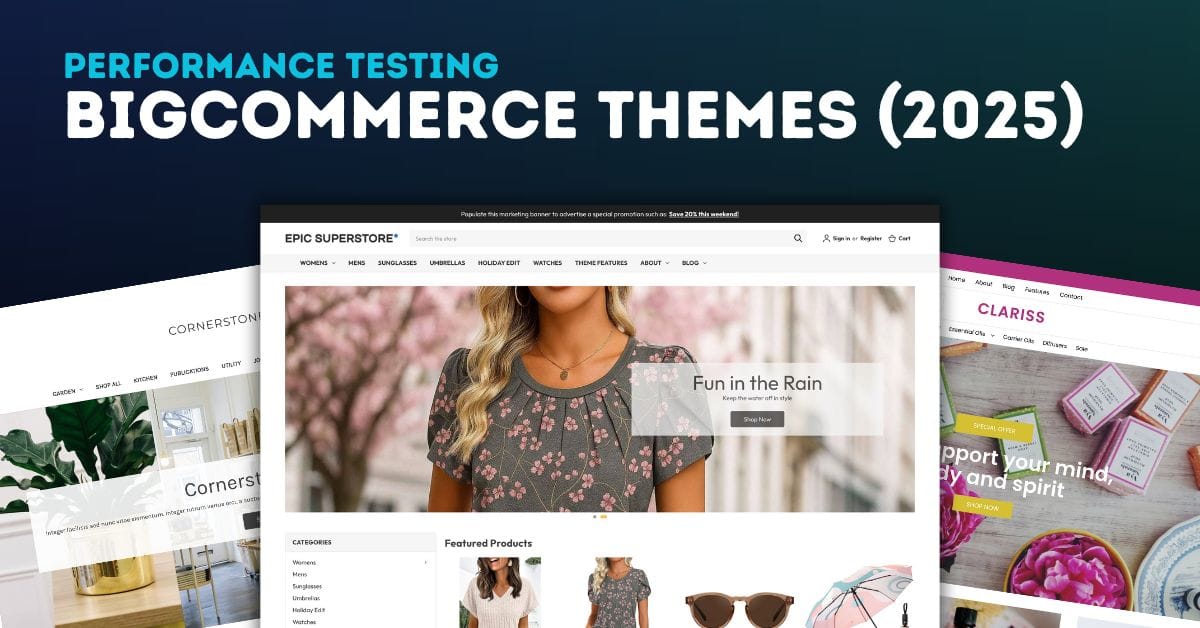
BigCommerce Theme Performance Analysis
When it comes to ecommverce success, site performance is no longer optional. A slow-loading store can mean the difference between \[…\]

51 Black Friday Email Marketing Ideas for 2024
Black Friday isn’t just a day; it’s a phenomenon, especially in the world of ecommerce. For online store owners, it’s a \[…\]

Blogging for Ecommerce: Boost Your Sales with Content Marketing
Blogging has become an essential part of e-commerce marketing strategies. It is a cost-effective way to attract and engage potential customers, establish \[…\]
![Best Black Friday Hashtags: Boost Your Holiday Sales [2024]](https://pub-9feb8f03f14c480ea76c20805e41b035.r2.dev/images/cmm8iormz0001qtddyyi8yi2x/black-friday-hashtags/680aeb90b92b.jpg)
Best Black Friday Hashtags: Boost Your Holiday Sales [2024]
Have you ever wondered how some small businesses manage to dominate social media feeds during Black Friday? It’s not just \[…\]

Brightpearl Review: Managing Inventory for Shopify and BigCommerce Stores
As e-commerce businesses expand their operations across multiple sales channels, the complexity of inventory management increases exponentially. At this growth \[…\]
Related Resources
View All →
3 ways to Add or Edit a Carousel on BigCommerce
If you’re looking to enhance your BigCommerce store’s design with a sleek carousel or slideshow, you’re in the right place. \[…\]

Add a Free Gift with Purchase on BigCommerce
Looking for a way to boost customer loyalty and increase sales on your BigCommerce store? Offering a free gift with \[…\]

Add Products to the Homepage of Your BigCommerce Store
In this video tutorial, I walk you through two simple ways to add products to your BigCommerce store homepage, helping \[…\]
BigCommerce Sitemaps 101
Are you ready to supercharge your BigCommerce store’s SEO? If you’ve ever wondered about the ins and outs of sitemaps \[…\]
Edit the Newsletter Optin Block on BigCommerce
Are you looking to customize the “Subscribe to our Newsletter” box on your BigCommerce store? In this video, I walk \[…\]
Editing Custom Fields via CSV in BigCommerce
Are you looking to efficiently manage custom fields for your products in BigCommerce? Editing via CSV is a powerful method \[…\]
Editing Products via CSV in BigCommerce
Managing products in your BigCommerce store can become overwhelming as your inventory grows, but CSV editing makes bulk updates quick \[…\]

Getting Started with Product Images on BigCommerce
Are you struggling to upload product images to your BigCommerce store? In this video, Kal Wiggins, an ecommerce expert and \[…\]
High-Risk Permissions in BigCommerce
BigCommerce has continuously provided merchants with tools to bolster sales staff their e-commerce stores. One of the latest features to \[…\]