
If you’re running a BigCommerce store using the Cornerstone template, you’ve likely noticed the built-in homepage carousel. While it may seem visually appealing at first, multiple studies have shown that homepage carousels (also known as hero sliders) can hurt your conversion rates. In fact, removing unnecessary distractions like this carousel can streamline your site and improve customer experience.
In this video, Kal from Epic Design Labs walks you through a simple, step-by-step process to remove the homepage carousel on BigCommerce—no complicated coding required. By the end, you’ll not only know how to get rid of the carousel but also how to replace it with a more effective static hero image.
Why You Should Watch This Video
- Improve your conversion rates by removing a common homepage feature that often distracts visitors.
- Simplify your design by replacing the carousel with a clean, static image that keeps your site looking professional.
- Follow an easy, no-code method using BigCommerce’s built-in tools.
Key Takeaways from the Video:
Here’s a quick breakdown of the main points covered in the video, complete with timestamps so you can easily jump to the parts that matter most:
- Why Removing the Carousel Helps (00:00)
Kal explains how homepage carousels can negatively impact your store’s conversion rates and why many studies recommend removing them altogether. - How to Disable Additional Carousel Slides (00:35)
Learn how to remove the second, third, and fourth images from the carousel, effectively leaving just one static image in place without full removal yet. - Understanding the Carousel’s JavaScript (01:08)
Even with one image, the carousel JavaScript (Slick Slider) remains, which can still load unnecessary code on your site. Kal suggests fully disabling the carousel for a cleaner setup. - Fully Disabling the Carousel (01:45)
Follow a step-by-step guide to disable the entire carousel feature in the BigCommerce theme customizer by unchecking the “Show Carousel” option. - Replacing the Carousel with a Static Image (02:49)
Kal shows how to replace the carousel with a static hero image using BigCommerce’s default image widget or Epic Page Builder Widgets to create a more effective, cleaner homepage design.
Final Thoughts:
Removing the homepage carousel from your BigCommerce store can significantly improve both page performance and user experience. This video walks you through everything you need to do, ensuring a clean, professional result. Ready to get started? Watch the full tutorial now, and let us know in the comments if you need further help!
Full Transcript
(00:00)
Hey there, in this video I’m going to show you how to remove the built-in carousel from the Cornerstone template on BigCommerce. Now, if you’re on a different template, it may be the same or slightly different. But one thing is for sure—the built-in carousel graphics from BigCommerce come with some of the worst example images ever.
Alright, let’s show you how to get rid of it!
You might be removing this because you’ve read, quite correctly, that homepage carousels reduce conversion rates. So many studies have proven this. I know there are still store owners who hang on to the idea of needing a hero carousel, but you don’t. And since you’re here, you probably already know this.
(00:35)
Let me show you how to get rid of it.
One thing I used to do when I was younger is go to Storefront > Homepage Carousel and remove the second, third, and fourth images. This leaves only one slide, and if I click save and go back to the front end, you’ll notice the left and right arrows, and the dots are gone because it’s no longer a carousel.
The JavaScript BigCommerce uses (Slick Slider) knows if there’s only one slide, it shouldn’t make it slide. But all that JavaScript is still loaded, and the HTML overlay doesn’t look good. So, you probably want to remove it altogether.
(01:08)
What I usually do is get rid of the carousel entirely and use a static image widget. Let me show you how to do that.
Go to Storefront > Themes, then click Customize to go to the customizer. You can comment this out in the actual code, but you don’t need to. Instead, click the Theme Styles button and then go to Homepage.
There’s an option here—a checkbox that says “Show Carousel.” This is actually an if statement in the code that surrounds the whole carousel block. When we turn this off, it’s not even commenting out the carousel, it’s preventing it from loading in the code at all, which is pretty cool.
(02:21)
All you have to do is uncheck the box that says “Show Carousel,” and you’ll see it’s gone. It doesn’t matter if you still have images loaded in the carousel feature in the back end—once you uncheck that box, it’s removed from the page.
If you want to put a static hero image back in, you can use one of the widgets from our Epic Page Builder Widgets app or the default one BigCommerce gives you (the image widget). It does come with a pretty ugly placeholder, but you can click Upload Image, go to the Upload Tab, and upload whatever you’ve got.
(02:49)
I’m going to scroll down to one that I’ve uploaded in the past and say, “Okay, there’s my new hero image.” Now I have a static hero image without any carousel JavaScript. It’s completely shut off. Just make sure to click Publish at the end.
(03:21)
Hopefully, you found this helpful! Leave me a comment if you’re stuck on anything. If you need a developer for your store, feel free to reach out to me at Epic Design Labs.
I really appreciate you being here, and I’ll see you in the next one! Thanks!

Related Resources
View All →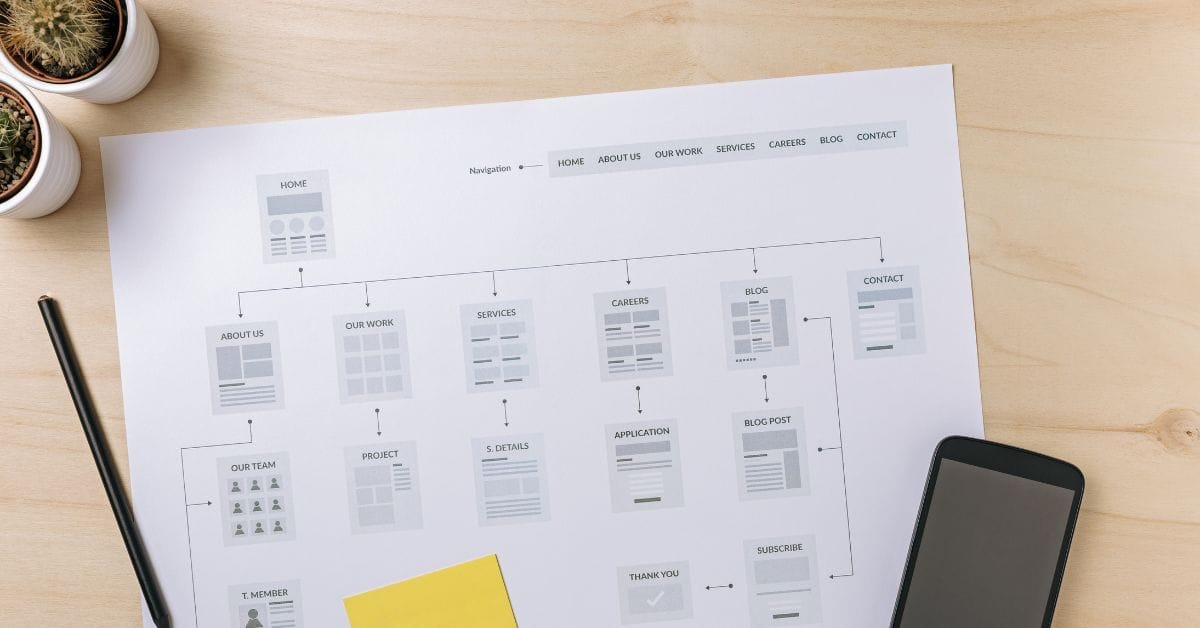
Where is the Sitemap on BigCommerce?
Are you trying to find your sitemap on BigCommerce but aren’t sure where to look? Whether you’re submitting your sitemap \[…\]
What size should your hero image be
In the vast realm of e-commerce, mobile images and web desChoosing the right size for your hero image is crucial \[…\]

What is the BigCommerce API
If you’ve been working in ecommerce, especially with BigCommerce, you’ve probably heard the term “API” thrown around. But what exactly \[…\]
What is BigCommerce Stencil?
If you are still using the BigCommerce Blueprint theme framework, it’s high time that you switched over to their new \[…\]
Welcome to Epic Page Builder Widgets
If you’re running an ecommerce store on BigCommerce, streamlining your page design without the constant need for developers is crucial. \[…\]

Stencil Local Development – Walkthrough
If you’re looking to develop on BigCommerce, using Stencil Local Development is a game-changer. In this video, I walk you \[…\]

Remove Powered by BigCommerce Link
If you’re running a BigCommerce store and want to remove the Powered by BigCommerce link at the bottom of your \[…\]
Page Builder Fields In Raw HTML BigCommerce Page Template
Are you trying to create custom landing pages on BigCommerce but struggling with how to use Page Builder fields in \[…\]
Most Popular Products on BigCommerce
Understanding Top Sellers and Customizing Your Store If you’re wondering how to display BigCommerce’s most popular products feed on your \[…\]