Almost every Shopify performance article opens with the same statistics about one-second delays and abandoned carts. You already believe speed matters, or you would not be reading this. The useful question is what is actually making this particular store slow, and the answer is far more predictable than most of those articles suggest.
On the large majority of established Shopify stores we audit, the single biggest cost is not the theme, the images, or the hosting. It is accumulated third-party app scripts.
Why app sprawl is usually the answer
Apps accumulate the way browser tabs accumulate. Each one was installed for a good reason by someone who is possibly no longer at the company. Each adds JavaScript, frequently CSS, often a connection to another domain, and sometimes a render-blocking script in the head.
Individually, every one of them is defensible. Collectively they are the reason the page takes six seconds.
What makes this worse than it sounds is that the cost is invisible in the admin. Shopify shows you which apps are installed and what they cost per month. It does not show you which ones are loading on every page, which are loading on pages they have no business on, or which belong to a campaign that ended two years ago and were never removed because nobody was certain what would break.
We regularly find stores where a third of the loaded JavaScript belongs to apps that are no longer used for anything.
Measure before you change anything
The goal of this stage is a list, ordered by cost, of what is actually on the page. It takes an afternoon and it prevents the expensive mistake.
Start with field data, not lab scores. Shopify’s own speed score and a one-off Lighthouse run are lab measurements — useful for diagnosis, misleading as targets. Look at Core Web Vitals in Search Console, which reflects what real visitors on real devices actually experienced.
Get a request waterfall. WebPageTest or Chrome DevTools, throttled to a mid-range mobile device on a slow connection. Sort by size and by blocking time. The waterfall tells you what is loading, in what order, from where, and what is holding up the render.
Attribute every third-party domain. This is the step that produces the list. Each external domain in the waterfall belongs to something — an app, a tag manager container, an analytics tool, a chat widget. Map each one back to a named app and a named business purpose. Anything you cannot attribute is a candidate for removal by definition.
Check what loads where. Many apps load globally when they are only needed on one template. A review widget belongs on product pages, not on your blog. A cart drawer script does not need to load on a landing page.
Then act, in this order
Remove what nobody can justify. The cheapest performance work available. If no one can name what an app does for the business, uninstall it — and remove its leftover theme code, because uninstalling an app frequently leaves script tags and snippets behind. This is the step people skip, and it is why stores stay slow after an app cleanup.
Consolidate overlap. Stores often run two apps that do substantially the same thing, installed years apart by different people. Pick one.
Scope what remains. Load app scripts only on the templates that need them. Many apps document how; for those that don’t, conditional loading in the theme usually works.
Replace apps with code where the app is doing something small. A common pattern: an app loading 90KB of JavaScript to display a badge. If the requirement is genuinely that small, implementing it in the theme is often a day of work and removes the dependency permanently.
Defer everything non-critical. Chat widgets, review carousels, recommendation engines and analytics almost never need to block the initial render. Load them after first paint.
The theme-level work that actually matters
Once third-party scripts are under control, the theme work worth doing is unglamorous and well understood:
Images. Usually the largest assets on the page. Shopify’s CDN will serve WebP and handle responsive sizing if the theme asks it to — many themes ask badly. Make sure images are requested at display size rather than scaled down in the browser, and that anything below the fold is lazy-loaded.
Fonts. Custom fonts are a frequent and avoidable source of delayed text rendering. Preload the faces you actually use, subset them, and set font-display: swap so text is never invisible while a font downloads.
The critical path. Anything in the document head that blocks rendering should earn its place there. Most things in most theme heads have not been reviewed since the theme was installed.
Liquid efficiency. Less commonly the problem, but real on large catalogs — deeply nested loops over collections, and repeated lookups that could be assigned once.
When a rebuild genuinely is the answer
Sometimes the theme really is the problem: it was built before Online Store 2.0, it has been customized past the point of being updatable, or it is carrying years of accumulated patches nobody can safely remove.
That is a real situation and a rebuild is a real answer to it. But it should be a conclusion you reach after measuring, not the first proposal. A rebuild that ships alongside the same fifteen apps produces a faster theme and a store that is still slow — and by then you have spent the budget you would have needed for the actual fix.
What to expect
Removing genuine app bloat from a store that has accumulated it typically produces a larger improvement than anything else available, usually in days rather than months.
Whether that translates into revenue depends on where you started. Eight seconds to three will show up in your conversion rate. Two-point-one to one-point-nine will not, and anyone promising otherwise is selling something.
If you want to know which situation you are in before committing to a rebuild, tell us what you’re seeing — or read more about how we approach Shopify development.
Frequently Asked Questions
Our store is slow. Do we need a new theme?
How much do apps really cost in performance terms?
Does Shopify's speed score actually matter?
Will faster pages increase our conversion rate?

Related Articles
View All →What Adobe Commerce Actually Costs
Adobe Commerce pricing is quote-based and tiered on revenue — but the licence is the smallest part of what a Magento store costs to own. The full picture, and how to tell whether you're paying for capability you use.
Magento 1 End of Life — What It Means If You're Still On It
Magento 1 reached end of life in June 2020. Stores still running it are on unpatched software that handles payment data. What that means for security and PCI compliance, what the options are, and how to choose a destination on merit rather than under pressure.
The Shopify Variant Limit, Explained
Shopify allows three options per product, and that constraint bites long before any variant count does. What the limits actually are, the real workarounds, and when a catalog genuinely doesn't fit.

BigCommerce Theme Performance Analysis
When it comes to ecommverce success, site performance is no longer optional. A slow-loading store can mean the difference between \[…\]
Ordoro Review: Inventory Management System for Dropshippers
For e-commerce businesses operating on platforms likein Shopify and BigCommerce, managing inventory and streamlining fulfillment processes become increasingly challenging as \[…\]

Unleashed Inventory Review: Managing Inventory for Shopify and BigCommerce Stores
For growing e-commerce businesses using Shopify and BigCommerce, the transition from basic inventory tools to a comprehensive inventory management software \[…\]
Zoho Inventory Review: Managing Inventory for Shopify and BigCommerce Stores
For small to mid-sized e-commerce businesses operating on Shopify or BigCommerce, managing inventory efficiently while keeping costs under control can \[…\]
Brightpearl Review: Managing Inventory for Shopify and BigCommerce Stores
As e-commerce businesses expand their operations across multiple sales channels, the complexity of inventory management increases exponentially. At this growth \[…\]

Cin7 Inventory Review: Managing Inventory for Shopify and BigCommerce Stores
As e-commerce businesses grow across multiple sales channels, inventory management becomes increasingly complex. Shopify and BigCommerce merchants often reach a \[…\]
Related Resources
View All →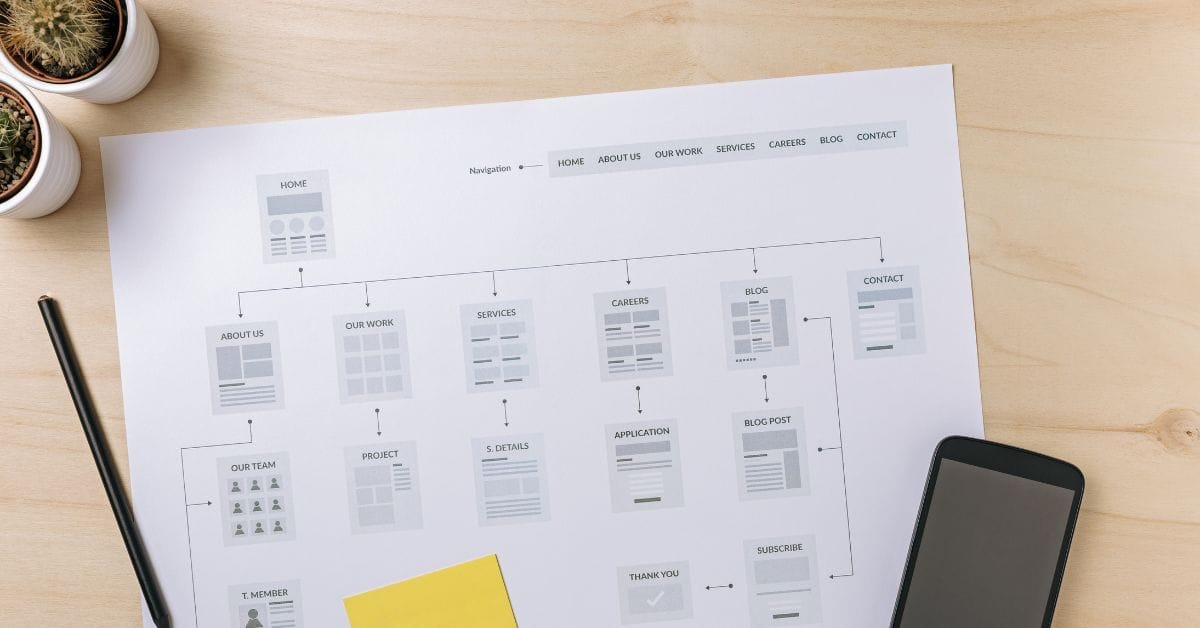
Where is the Sitemap on BigCommerce?
Are you trying to find your sitemap on BigCommerce but aren’t sure where to look? Whether you’re submitting your sitemap \[…\]

What size should your hero image be
In the vast realm of e-commerce, mobile images and web desChoosing the right size for your hero image is crucial \[…\]

What is the BigCommerce API
If you’ve been working in ecommerce, especially with BigCommerce, you’ve probably heard the term “API” thrown around. But what exactly \[…\]

What is BigCommerce Stencil?
If you are still using the BigCommerce Blueprint theme framework, it’s high time that you switched over to their new \[…\]

Welcome to Epic Page Builder Widgets
If you’re running an ecommerce store on BigCommerce, streamlining your page design without the constant need for developers is crucial. \[…\]

Stencil Local Development – Walkthrough
If you’re looking to develop on BigCommerce, using Stencil Local Development is a game-changer. In this video, I walk you \[…\]

Remove Powered by BigCommerce Link
If you’re running a BigCommerce store and want to remove the Powered by BigCommerce link at the bottom of your \[…\]

Page Builder Fields In Raw HTML BigCommerce Page Template
Are you trying to create custom landing pages on BigCommerce but struggling with how to use Page Builder fields in \[…\]

Most Popular Products on BigCommerce
Understanding Top Sellers and Customizing Your Store If you’re wondering how to display BigCommerce’s most popular products feed on your \[…\]