
Headless commerce has been explained badly enough, often enough, that the term now carries more mystique than meaning. It is a straightforward architectural choice with real benefits and real costs, and the decision is usually clearer than the marketing around it suggests.
What it actually means
On a conventional ecommerce platform, the storefront and the commerce engine are one system. Shopify renders your pages from Liquid templates. BigCommerce renders them from Stencil. The platform owns the catalog, the cart, the checkout, and the HTML the customer sees.
Headless separates those. The platform keeps doing what it is good at — products, pricing, inventory, cart, orders, payments — and stops rendering pages. In its place you build a separate frontend application, usually in React with a framework like Next.js, which asks the platform for data over an API and renders the storefront itself.
The “head” is the storefront. Removing it leaves the commerce engine running without one, which is where the name comes from.
What you actually gain
Complete control of the frontend. No theme conventions, no template language limits, no waiting for the platform to support a rendering pattern. If you can build it on the web, you can build it in your storefront.
The ability to build things that aren’t pages. Product configurators, real-time availability logic, complex account portals, buying flows that behave like software rather than a catalog. This is where headless earns its cost most clearly.
One catalog, several frontends. A web storefront, a mobile app, in-store kiosks and a partner portal can all read from the same commerce backend without duplicating product data.
Independent deployment. Frontend changes ship without touching the commerce backend, which matters more on larger teams than it sounds.
What it actually costs
This is the half that tends to be underdescribed, so it’s worth being specific.
You now own a software application. Not a theme — an application, with dependencies that need upgrading, a build pipeline, infrastructure, and monitoring. The platform used to handle all of that. Now you do.
You rebuild things you already had. Server-side rendering, sitemap generation, canonical tags, structured data, redirect handling, image optimization, breadcrumbs, faceted search state in URLs. Every one of these came free with the platform’s storefront and now needs building and maintaining.
Apps stop working the way they did. Most storefront apps inject code into the platform’s theme. With no theme, they have nothing to inject into. Every storefront-facing app in your stack needs a headless equivalent, a custom implementation, or removal — and this frequently turns out to be the largest single piece of work in the project.
Ongoing development capacity becomes mandatory. A Liquid theme can sit untouched for two years and keep working. A Next.js application cannot: dependencies age, security patches accumulate, and frameworks move. Headless is a commitment to continuous maintenance, not a one-off build.
When it isn’t the answer
Worth saying plainly, because it is the more common case:
“We want more flexibility” is not a requirement. If you cannot name the specific thing the platform prevents you from doing, and say why it matters commercially, headless will cost you a great deal to gain something you have not yet identified.
Performance problems usually have a cheaper cause. Slow stores are most often slow because of accumulated third-party app scripts and unoptimized images. Both survive a replatform. Fix them first — if the store is fast afterwards, you have saved yourself a rebuild.
Design limitations are usually theme limitations. Modern Liquid and Stencil themes are far more capable than their reputation. A great deal of what gets scoped as “we need headless for this design” is achievable in a well-built conventional theme.
Small teams should be cautious. If one developer maintains everything, or you rely on an agency for occasional work, taking on a frontend application is a larger commitment than it appears on the day it launches.
The middle path most people actually want
The framing of “conventional versus headless” is misleading, because the most common real-world choice sits between them: keep your existing platform, and replace only the storefront.
Shopify supports this with its Storefront API and Hydrogen. BigCommerce supports it with a GraphQL Storefront API and Catalyst. You keep the admin your team knows, the checkout that already converts, the payment and tax configuration, and the operational tooling — and you gain frontend control where you actually needed it.
This is how most headless builds we work on are structured, and it is meaningfully lower risk than migrating to a headless-native commerce platform at the same time as rebuilding the storefront.
How to decide
One question does most of the work: what specifically can you not do today, and what is it worth?
If the answer is concrete — a configurator you cannot build, availability logic the platform won’t express, a buying flow that does not fit a product page, several frontends needing one catalog — headless is likely the right call, and the cost is worth planning for properly.
If the answer is general, the honest recommendation is to fix the specific problems you have on the platform you already run, and revisit this when a constraint has a name.
We build both, which is the only reason our answer to this question is worth anything. More on how we approach headless builds, or tell us what you’re running into and we’ll tell you which side of the line you’re on.
Frequently Asked Questions
What's the difference between headless and conventional ecommerce?
Is headless faster?
Is headless bad for SEO?
Can Shopify and BigCommerce be used headless?
How much does a headless build cost?
How do we know if we actually need it?

Related Articles
View All →What Adobe Commerce Actually Costs
Adobe Commerce pricing is quote-based and tiered on revenue — but the licence is the smallest part of what a Magento store costs to own. The full picture, and how to tell whether you're paying for capability you use.
Magento 1 End of Life — What It Means If You're Still On It
Magento 1 reached end of life in June 2020. Stores still running it are on unpatched software that handles payment data. What that means for security and PCI compliance, what the options are, and how to choose a destination on merit rather than under pressure.
The Shopify Variant Limit, Explained
Shopify allows three options per product, and that constraint bites long before any variant count does. What the limits actually are, the real workarounds, and when a catalog genuinely doesn't fit.
Optimizing Your Shopify Store for Peak Performance
On most slow Shopify stores the theme is not the problem — accumulated app scripts are. How to find out which, before you pay for a rebuild.
BigCommerce Theme Performance Analysis
When it comes to ecommverce success, site performance is no longer optional. A slow-loading store can mean the difference between \[…\]
Ordoro Review: Inventory Management System for Dropshippers
For e-commerce businesses operating on platforms likein Shopify and BigCommerce, managing inventory and streamlining fulfillment processes become increasingly challenging as \[…\]

Unleashed Inventory Review: Managing Inventory for Shopify and BigCommerce Stores
For growing e-commerce businesses using Shopify and BigCommerce, the transition from basic inventory tools to a comprehensive inventory management software \[…\]
Zoho Inventory Review: Managing Inventory for Shopify and BigCommerce Stores
For small to mid-sized e-commerce businesses operating on Shopify or BigCommerce, managing inventory efficiently while keeping costs under control can \[…\]
Brightpearl Review: Managing Inventory for Shopify and BigCommerce Stores
As e-commerce businesses expand their operations across multiple sales channels, the complexity of inventory management increases exponentially. At this growth \[…\]
Related Resources
View All →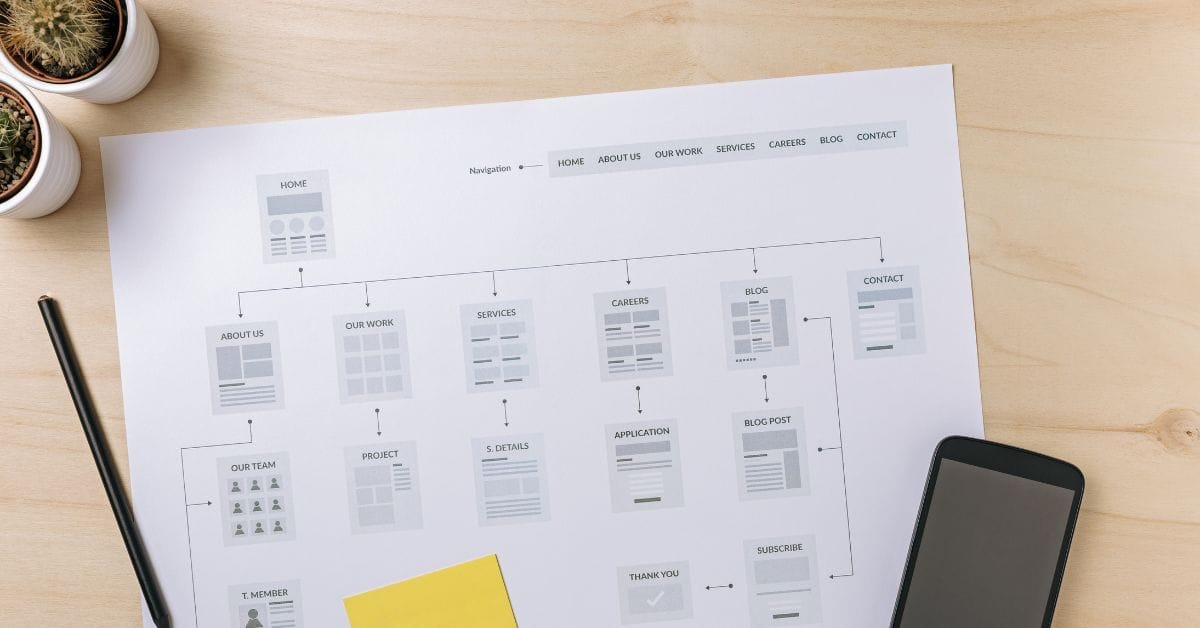
Where is the Sitemap on BigCommerce?
Are you trying to find your sitemap on BigCommerce but aren’t sure where to look? Whether you’re submitting your sitemap \[…\]
What size should your hero image be
In the vast realm of e-commerce, mobile images and web desChoosing the right size for your hero image is crucial \[…\]
What is the BigCommerce API
If you’ve been working in ecommerce, especially with BigCommerce, you’ve probably heard the term “API” thrown around. But what exactly \[…\]
What is BigCommerce Stencil?
If you are still using the BigCommerce Blueprint theme framework, it’s high time that you switched over to their new \[…\]
Welcome to Epic Page Builder Widgets
If you’re running an ecommerce store on BigCommerce, streamlining your page design without the constant need for developers is crucial. \[…\]
Stencil Local Development – Walkthrough
If you’re looking to develop on BigCommerce, using Stencil Local Development is a game-changer. In this video, I walk you \[…\]
Remove Powered by BigCommerce Link
If you’re running a BigCommerce store and want to remove the Powered by BigCommerce link at the bottom of your \[…\]
Page Builder Fields In Raw HTML BigCommerce Page Template
Are you trying to create custom landing pages on BigCommerce but struggling with how to use Page Builder fields in \[…\]
Most Popular Products on BigCommerce
Understanding Top Sellers and Customizing Your Store If you’re wondering how to display BigCommerce’s most popular products feed on your \[…\]